
Most digital signage uses ordinary commercial displays between 32 and 98 inches, running at Full HD (1920 x 1080) or 4K (3840 x 2160), in landscape or portrait. The size you need depends on how far away people stand, and the resolution you design at depends on the screen, not the size.
This guide lists the common signage screen sizes and resolutions, how to pick a size from viewing distance, what changes for video walls and LED, and how to set up artwork so it looks sharp. We make digital signage content for retail, hospitality, offices and events.
Key Takeaways
- Common sizes: 32, 43, 49 or 50, 55, 65, 75, 86 and 98 inches.
- Design at 1920 x 1080 for Full HD screens and 3840 x 2160 for 4K, or the same rotated for portrait.
- Rough guide: allow about 1 inch of screen per 4 to 6 inches of viewing distance for text people need to read.
- Video walls multiply the resolution of the panels (a 2 x 2 wall of Full HD screens is 3840 x 2160).
- LED walls have custom resolutions set by panel count and pixel pitch. Always get the exact pixel size.
| Screen size | Typical use | Resolution | Comfortable viewing distance |
|---|---|---|---|
| 32 inch | Counters, menu boards, meeting room doors | 1920 x 1080 | 1 to 2 m |
| 43 inch | Shop windows, small receptions, wayfinding | 1920 x 1080 or 3840 x 2160 | 1.5 to 3 m |
| 49 to 55 inch | Retail walls, menu boards, lobbies, totems | 1920 x 1080 or 3840 x 2160 | 2 to 4 m |
| 65 inch | Large receptions, showrooms, events | 3840 x 2160 | 3 to 5 m |
| 75 to 86 inch | Feature walls, atriums, stages | 3840 x 2160 | 4 to 7 m |
| 98 inch and video walls | Flagship stores, venues, exhibitions | 3840 x 2160 or combined | 6 m and beyond |
How to Choose a Screen Size
Start with where people will be. A menu board read from the queue needs less size than a window screen seen from across the street. As a working guide for screens with text on them, allow roughly 1 inch of screen diagonal for every 4 to 6 inches of typical viewing distance. For image-led loops that only need to catch the eye, you can go smaller.
- Mounting height matters as much as size. Screens above head height need bigger type.
- Brightness: window and outdoor-facing screens need high-brightness panels (often 2,500 nits or more) or they wash out in daylight.
- Orientation: portrait suits totems, windows and wayfinding; landscape suits menu boards, video and walls.
Resolution: Full HD vs 4K
Most signage content is still built at 1920 x 1080. It plays smoothly on almost any media player and looks sharp at normal viewing distances up to about 55 inches. Use 3840 x 2160 when the screen is 65 inches or larger, when people stand close to it, or when it shows fine detail like product shots or small text.
For portrait screens, rotate the canvas: 1080 x 1920 or 2160 x 3840. Check whether the player rotates the output or expects the file already rotated. Getting this wrong is the most common reason content arrives sideways.
Video Walls
A video wall joins several screens into one canvas. Multiply the panel resolution by the grid: a 2 x 2 wall of Full HD screens is 3840 x 2160, a 3 x 3 wall is 5760 x 3240. Keep text and faces away from the bezels (the frames between screens), and check whether the processor wants one large file or a file per screen.
LED Walls and Pixel Pitch
LED walls are built from modules, so their resolution is set by how many modules are used and the pixel pitch, the distance between pixels in millimetres. A smaller pitch means more pixels and a sharper image up close. A common rule of thumb is that the minimum comfortable viewing distance in metres is roughly the pixel pitch in millimetres: a 2.5 mm wall looks good from about 2.5 m.
Because LED walls are rarely a standard size (2304 x 1296 or 1536 x 640 are typical examples), always get the exact pixel dimensions from the installer before any design starts.
Artwork Setup Checklist
- Build at the screen’s native pixel size, in RGB, 72 dpi. No bleed or crop marks.
- Keep text and logos at least 5% in from every edge.
- Use large type: at least 1/20th of the screen height for text people must read.
- Video: H.264 MP4 at 25 or 30 fps, unless the player or CMS needs something else.
- Name files by screen, size and version so they go to the right place.
- Check playback on the real screen, from the real viewing position, before sign-off.
For what to show on those screens, see digital signage content ideas; for event screens, exhibition stand screen content.
Get Content Made for Your Screens
We design and animate content for single screens, video walls and LED, built at the exact resolution of your hardware. See our digital signage content service or send us your screen list.
From Our Studio
Real campaigns we’ve built, with the full story in each case study.

Spa
Spa Duo launch creative on transport DOOH screens, alongside HTML5 display.
Read the case study
Kärcher
A modular DOOH and HTML5 system, delivered to every media owner’s spec.
Read the case study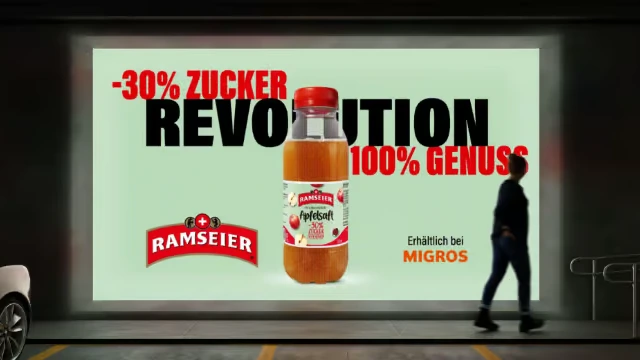
Ramseier
Reduced-sugar apple juice DOOH, built from the same idea as its interactive banners.
Read the case studyFAQ
What size are digital signage screens?
Common digital signage screens are 32, 43, 49 or 50, 55, 65, 75, 86 and 98 inches, used in landscape or portrait. Larger installations use video walls or LED walls.
What resolution should digital signage content be?
Design at the screen’s native resolution, usually 1920 x 1080 for Full HD or 3840 x 2160 for 4K, or the same rotated for portrait screens.
How do I choose a digital signage screen size?
Work from viewing distance. For screens with text, allow roughly 1 inch of diagonal per 4 to 6 inches of typical viewing distance, and go larger if the screen is mounted high.
What resolution is a video wall?
Multiply the panel resolution by the grid. A 2 x 2 wall of Full HD screens is 3840 x 2160 and a 3 x 3 wall is 5760 x 3240.
What is pixel pitch on an LED wall?
Pixel pitch is the distance between LED pixels in millimetres. A smaller pitch gives a sharper image up close; as a rule of thumb, the minimum comfortable viewing distance in metres is about the pitch in millimetres.
Need help with
creative production?
If you’re planning a campaign or need reliable digital creative production at scale, we can help. Send us your requirements and we’ll advise on formats, builds and delivery.
Got screens but no content plan? We’ll make the loops, scoped and priced upfront.


















