
YouTube Shorts ads play between Shorts in the vertical, swipeable Shorts feed. They look like Shorts: full screen, 9:16, sound on by default, with a channel name, a call to action and the option to swipe away at any time.
This guide covers where Shorts ads run, which Google Ads campaigns serve them, the specs and safe zone, and how to make creative that holds attention before the thumb moves. We make YouTube ads in every format, so the creative section is based on what we build for clients.
Key Takeaways
- Shorts ads appear in the Shorts feed between organic Shorts. Viewers can swipe past at any time, so there is no guaranteed view.
- You don’t buy “Shorts ads” as a separate campaign. They serve through Demand Gen, video reach, video view, app and Performance Max campaigns.
- Upload vertical 9:16 at 1080 x 1920. Google accepts landscape and square, but vertical performs better in Shorts.
- Google recommends keeping Shorts ads under 60 seconds. Put the product or the hook in the first two seconds.
- Keep text and logos clear of the bottom and right edges, where the channel name, CTA and buttons sit.
| Spec | Shorts ads |
|---|---|
| Aspect ratio | 9:16 vertical (recommended). 1:1 and 16:9 accepted |
| Resolution | 1080 x 1920 |
| Length | Under 60 seconds recommended. In Demand Gen, 5 seconds minimum |
| File | Hosted on YouTube (public or unlisted). MP4, H.264 is the safest master |
| Sound | On by default. Plan voice, music or effects into the idea |
| Captions | Burn them in. Keep them above the bottom 20% of the frame |
| Companion assets | Headline, description, CTA and logo set in the campaign, not in the video |
What Are YouTube Shorts Ads?
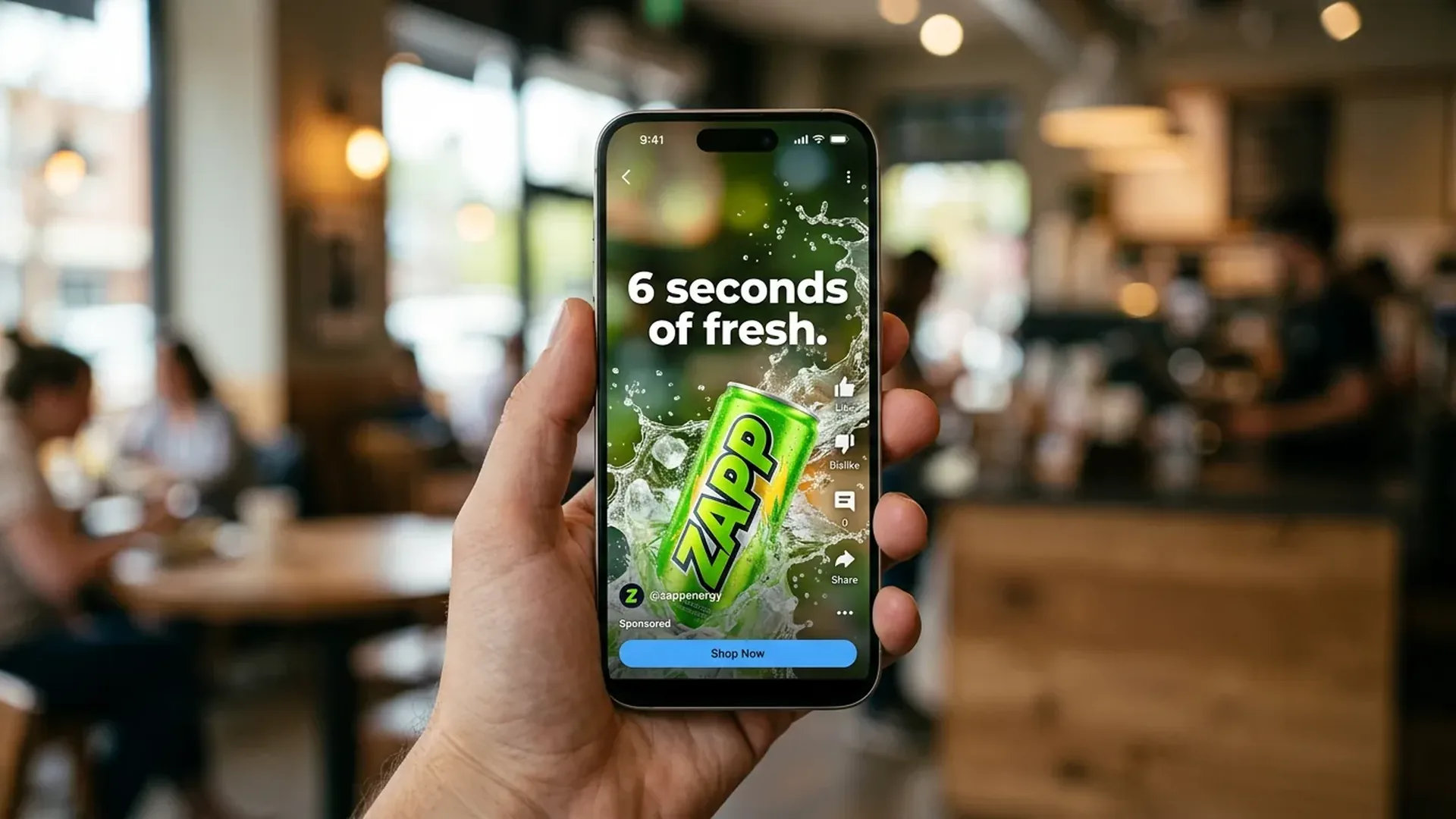
A Shorts ad is a vertical video ad shown in the Shorts feed on the YouTube app and mobile web. It plays and loops like an organic Short, carries a “Sponsored” label, your channel name and a call-to-action button, and the viewer can swipe to the next Short whenever they like.
That last point is what shapes the creative. There is no five-second countdown like a skippable in-stream ad. The ad competes with the Short the viewer was about to watch, so it has to earn attention straight away.
Which Campaigns Serve Shorts Ads?
Shorts inventory is part of Google’s video campaigns rather than a stand-alone buy. The main routes:
- Demand Gen: runs across Shorts, in-stream, in-feed, Discover and Gmail. You can use channel controls to focus on YouTube placements. Good for sales and leads with product feeds.
- Video reach (efficient reach): mixes bumper, skippable and Shorts placements to reach the most people at the lowest cost per thousand.
- Video views: optimises for views across in-stream, in-feed and Shorts.
- Performance Max and App campaigns: can serve your video assets in Shorts alongside other Google inventory.
Google can also turn a landscape asset into a vertical version with its video enhancements. It’s a useful fallback, but a purpose-made 9:16 edit gives you control over framing, text and branding.
YouTube Shorts Ad Specs and Safe Zone
Make the master at 1080 x 1920, 9:16. The Shorts interface covers parts of the frame:
- Bottom 20% or so: channel name, caption, “Sponsored” label and the CTA button.
- Right edge: like, comment, share and remix buttons.
- Top strip: the Shorts header and search.
Keep the logo, product and any text in the centre of the frame. Run every cut through our safe zone checker before upload, and see the full list of YouTube ad formats and specs for the other placements.
Creative That Stops the Swipe
- Show the product or a face in the first two seconds. No logo sting, no slow fade in.
- Make it look like a Short. Phone-shot footage, a person talking to camera, quick cuts. Polished TV edits often look like an interruption.
- Design for sound and for silence. Use voice or music, but burn in captions so the message still lands muted.
- Brand early but lightly. Show the product, pack or logo in the opening seconds, then again at the end.
- One message, one action. Say what to do (shop, sign up, download) and match the CTA button to it.
- Make several versions. Different hooks, lengths (6, 15 and 30 seconds) and creators, so the campaign can find what works.
These follow the same idea as Google’s ABCD guidance for YouTube: grab Attention, Brand early, Connect with people, and give clear Direction.

Shorts Ads vs Bumpers and In-Stream
Shorts ads are vertical and swipeable. Bumper ads are 6-second, non-skippable spots that run before or during other videos, often landscape and often on TV screens. Skippable in-stream ads can be any length and can be skipped after five seconds. Most campaigns use all three, so plan the edit once and cut it for each: a 9:16 Shorts version, a 16:9 in-stream version and a 6-second bumper.
Get Your Shorts Ads Made
We cut your footage, product shots or creator content into Shorts-ready ads, with matching 16:9 and 6-second versions and display banners for the rest of the campaign. See our YouTube ad production service or send us your brief.
FAQ
What are YouTube Shorts ads?
Shorts ads are vertical video ads that appear between Shorts in the YouTube Shorts feed. They loop like organic Shorts, show a Sponsored label, channel name and CTA button, and viewers can swipe past at any time.
What size should a YouTube Shorts ad be?
Make Shorts ads vertical at 9:16, 1080 x 1920 pixels. Google also accepts square and landscape videos, but vertical assets perform better in the Shorts feed.
How long can a YouTube Shorts ad be?
Google recommends keeping Shorts ads under 60 seconds. In Demand Gen campaigns the minimum is 5 seconds. Most effective Shorts ads land the message in 15 to 30 seconds.
How do I run ads on YouTube Shorts?
Create a Demand Gen, video reach, video views, Performance Max or App campaign in Google Ads and add a vertical video asset. These campaigns can serve your ad in the Shorts feed alongside other YouTube placements.
Can Shorts ads be skipped?
Yes. There is no countdown, viewers can swipe to the next Short whenever they want, which is why the first two seconds matter so much.
Need help with
creative production?
If you’re planning a campaign or need reliable digital creative production at scale, we can help. Send us your requirements and we’ll advise on formats, builds and delivery.
Need vertical cut-downs for Shorts? We’ll make them alongside your display set, scoped and priced upfront.


















