

LinkedIn has two swipeable ad formats that people often mix up. Carousel ads are 2 to 10 square image cards, each with its own headline and link. Document ads are a PDF (or PowerPoint or Word file) that people page through in the feed, and can be gated behind a lead gen form.
Both are good for B2B because they let you tell a short story or share proof without sending people off LinkedIn. This guide covers the specs for each, when to use which, and how to design the pages so people keep swiping. We make LinkedIn ads for B2B brands, including carousel and document sets built from reports, decks and case studies.
Key Takeaways
- Carousel ads: 2 to 10 cards, 1080 x 1080 (1:1), JPG or PNG, up to 10 MB per card. Each card can link somewhere different.
- Document ads: PDF, PPT, PPTX, DOC or DOCX, up to 100 MB and 300 pages. Every page must be the same size.
- Use document ads to share a report, guide or checklist, and gate it with a lead gen form to collect leads.
- Use carousel ads to show several products, features, stats or steps that each deserve a click.
- Design every card or page to work on its own, with large text that reads on a phone.
| Carousel ads | Document ads | |
|---|---|---|
| What you upload | 2 to 10 image cards | One file: PDF, PPT, PPTX, DOC or DOCX |
| Size | 1080 x 1080 (1:1) per card | Same page size throughout. 1080 x 1350 (4:5) or 1080 x 1080 work well |
| File limits | JPG or PNG, 10 MB per card | 100 MB, up to 300 pages |
| Text | Intro text up to 255 characters. Card headline about 45 characters | Intro text up to 600 characters. Headline up to 70 characters |
| Links | Each card can have its own URL | One destination, or a lead gen form to unlock the full document |
| Best for | Products, features, stats, steps that each need a click | Reports, guides, checklists, case studies, gated content |
LinkedIn Carousel Ads
A carousel ad shows one square card at a time with arrows (or swipe on mobile) to move through the rest. Every card has an image, a short headline and its own destination URL, and LinkedIn reports clicks per card, so you can see which product or message people chose.
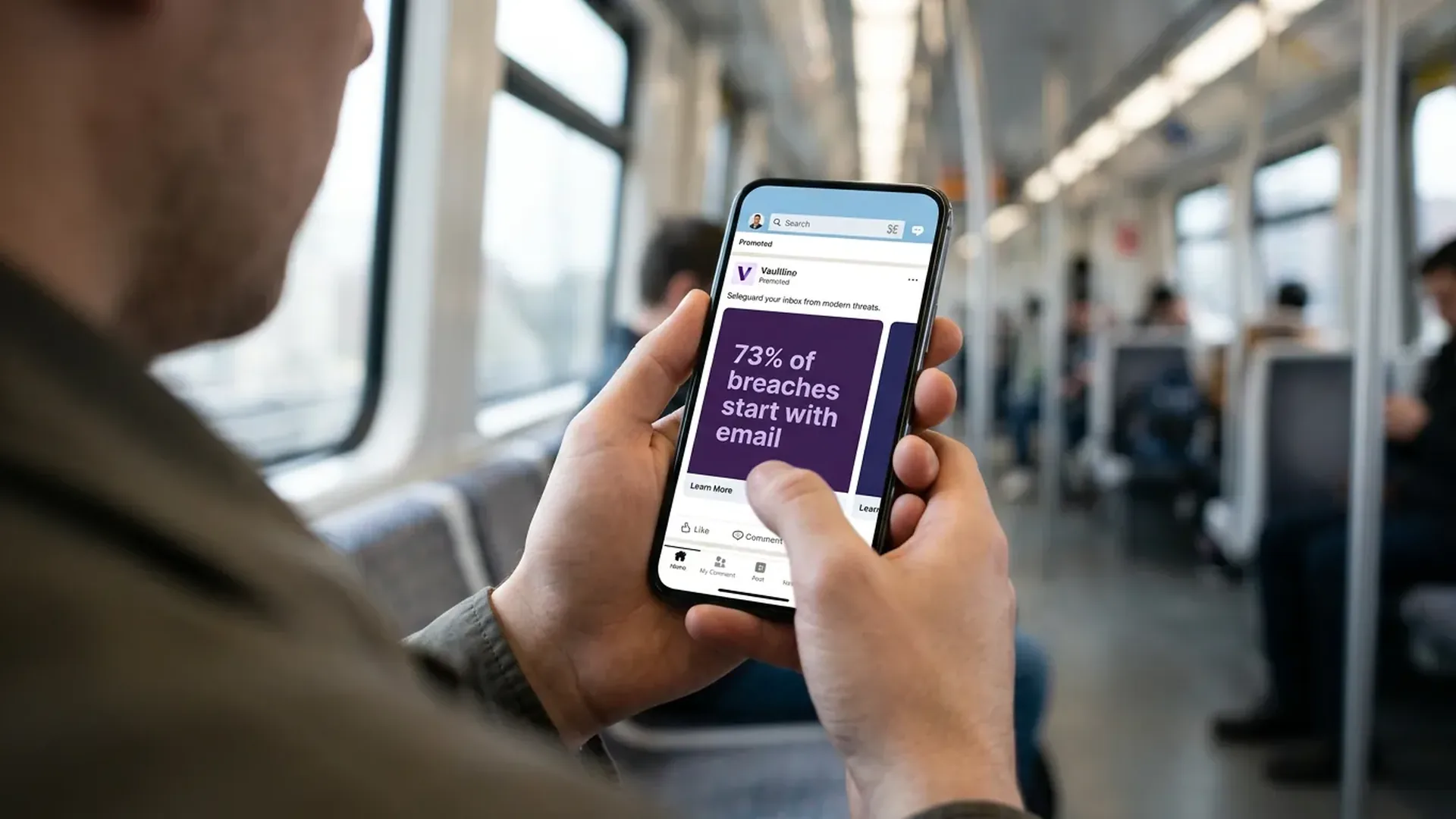
How to design carousel cards
- Card one is the ad. Most people only see the first card, so it needs the hook and the brand.
- Make the swipe obvious. Run a shape, line or image across the card edge, or number the cards (“1/5”).
- One point per card. A stat, a feature or a step. Keep text to a line or two at a size that reads on a phone.
- End with the action. The last card should say what to do next and repeat the brand.
- Stay square. Cards must be 1:1. Design at 1080 x 1080 and check text isn’t too close to the edges.
LinkedIn Document Ads
A document ad shows your file in the feed as a swipeable set of pages. You choose how many pages people can preview, and you can ask them to fill in a lead gen form to unlock the rest or download it. Forms are pre-filled from the member’s profile, which is why document ads are a popular way to turn content into leads.
How to design document ad pages
- Treat page one like a cover ad: a clear title, who it’s for and what they’ll get.
- Use portrait or square pages, not landscape A4. 1080 x 1350 (4:5) fills the most of a phone screen.
- Keep every page the same size and flatten layered PDFs before upload.
- Short is better. LinkedIn allows 300 pages, but 5 to 15 pages is plenty for an ad. Put the best page in the preview.
- Write for skimmers. One idea per page, big headings, numbers and charts rather than paragraphs.
- Plan the gate. Show enough in the preview to prove the value, then gate the full report or checklist.

Carousel or Document: Which Should You Use?
Choose a carousel when each card is a separate thing people might click: products in a range, features of a platform, locations, event sessions. Choose a document when the pages are one piece of content people should read in order, or when you want leads: a benchmark report, a buyer’s guide, a checklist, a short case study.
Many B2B campaigns use both. A document ad gathers leads from a report, and a carousel retargets the people who opened it with the three stats that matter most and a link to book a demo. See the full LinkedIn ad specs for single image, video and message ads, and our LinkedIn ad examples for ideas.
Turn Your Content Into LinkedIn Ads
Most companies already have the material: a report, a deck, a case study. We redesign it into carousel cards and document pages that read on a phone, with matching social and display versions. See our LinkedIn ad production service or send us your brief.
FAQ
What is the difference between LinkedIn carousel ads and document ads?
Carousel ads are 2 to 10 square image cards, each with its own headline and link. Document ads are a single PDF, PowerPoint or Word file that people page through in the feed, and they can be gated with a lead gen form.
What size are LinkedIn carousel ad cards?
Carousel cards must be square, 1:1. Use 1080 x 1080 pixels, JPG or PNG, up to 10 MB per card, with 2 to 10 cards per ad.
What are the specs for LinkedIn document ads?
Upload a PDF, PPT, PPTX, DOC or DOCX up to 100 MB and 300 pages. Every page must be the same size. Portrait 4:5 or square pages read best on mobile.
Can LinkedIn document ads collect leads?
Yes. You can show a preview of selected pages and ask people to complete a LinkedIn lead gen form to unlock or download the full document.
How many pages should a LinkedIn document ad have?
LinkedIn allows up to 300 pages, but for ads 5 to 15 pages is usually enough. Put the most valuable page in the preview and gate the rest if you want leads.
Need help with
creative production?
If you’re planning a campaign or need reliable digital creative production at scale, we can help. Send us your requirements and we’ll advise on formats, builds and delivery.
For specs, safe zones and production across every platform, see our social media ads hub.


















